 Ledgerline
Accounting at the speed of your keyboard.
Ledgerline is double-entry accounting, inventory and GST for Indian businesses. Every screen is reachable without a mouse, it works fully offline, and your books stay on your machine.
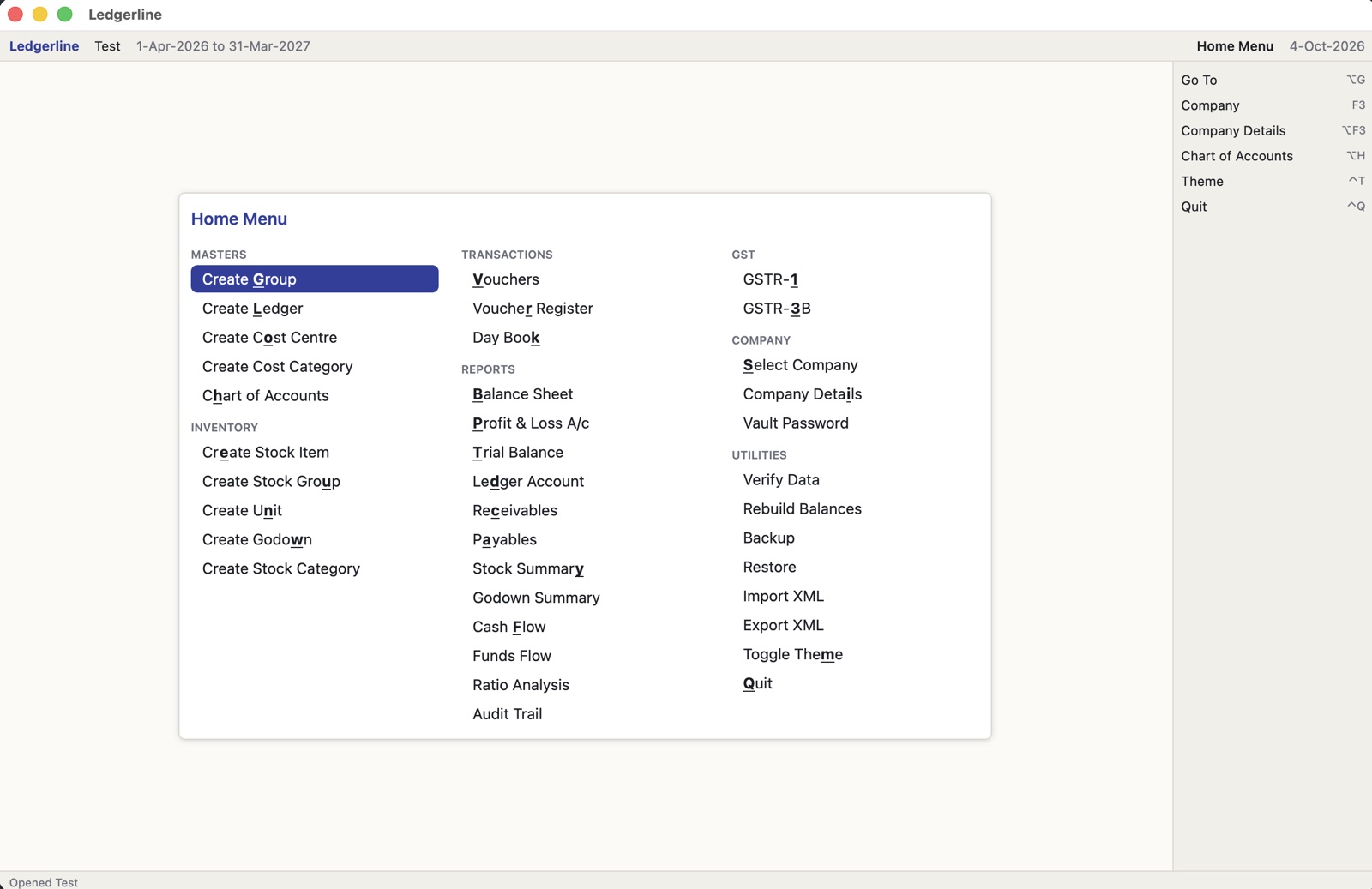
Everything a growing business needs
Keyboard-first
One-key shortcuts on the Home Menu, Alt+G Go To anywhere, Enter to move, Esc to go back. Voucher entry never needs the mouse.
Double-entry you can trust
Debits always equal credits, enforced in the app and in the database. Money is exact to the paisa, never floating point.
Vouchers and bills
Payment, receipt, contra, journal, sales, purchase, credit and debit notes, with bill-wise tracking and cost centres.
Inventory
Stock items, units, godowns and batches; FIFO, average or last-cost valuation; orders, delivery and receipt notes.
GST ready
CGST/SGST/IGST on every invoice, GSTR-1 and GSTR-3B with portal JSON, e-invoice and e-way bill JSON, and TDS.
Reports that drill down
Balance Sheet, P&L, Trial Balance, Day Book, cash and funds flow, ratios and stock summary. Enter drills to the voucher.
Print and export
Tax invoices and reports as PDF, plus CSV, Excel and JSON exports. XML import and export for moving your data in.
Safe by design
Every change is kept in an audit trail. Optional password encryption (Vault), one-file checksummed backups, and data verification.
Works on your LAN
Run ledgerline-server on one machine and several desks share the same books, with record locking.
Download
Windows
v0.8.0macOS
v0.8.0Linux
v0.8.0Checksums for every file: SHA256SUMS.txt.
Installing
Windows
- Run the
.msi. - If SmartScreen says “Windows protected your PC”, choose More info → Run anyway (the installer isn't code-signed yet).
- Start Ledgerline from the Start menu.
macOS
- Open the
.dmgand drag Ledgerline to Applications. - The first time, right-click Ledgerline and choose Open, then Open again (it isn't notarized yet).
- Pick Apple Silicon for M-series Macs, Intel for older ones.
Linux
- Debian/Ubuntu:
sudo apt install ./ledgerline_*.deb - Others: unpack the
.tar.xzand run./ledgerline. - Needs a desktop with Vulkan graphics (Wayland or X11).
Your company files live in your user folder (%APPDATA%\Ledgerline, ~/Library/Application Support/Ledgerline or ~/.local/share/ledgerline) and are never touched by installing, upgrading or removing the app.